In this page
How do I fix the "This app is blocked" error message?
If you have this error message while using Gmelius: it's due to your company settings preventing the addition of third-party apps without explicitly allowing them. In this case, all you need to do is…

Updated
by Payam from Gmelius
In this page
If you have this error message while using Gmelius:
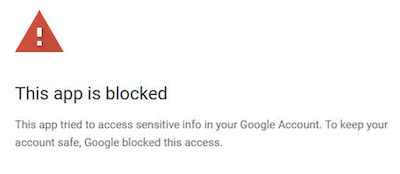
it's due to your company settings preventing the addition of third-party apps without explicitly allowing them. In this case, all you need to do is add Gmelius to your list of trusted apps.
These settings are configurable by your Google Workspace account Administrator.
Here are the steps:
- Click here to control which third-party and internal apps can access your Google Workspace data.
- Click on "Configure new app" and select "OAuth App Name Or Client ID":
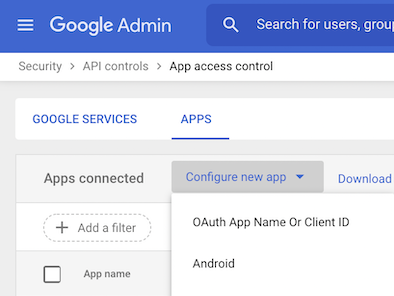
- Use the following Client ID for the Gmelius app and click on the "Search" button:
535790240972-0hliusdo5vfeudq24ub8961e22iedg1l.apps.googleusercontent.com - Select the option "Trusted: can access all Google services" and click on the "Configure" button:

- Refresh your page and try again.
How did we do?
How to manage workspaces
How to see emails both in a workspace and in your regular inbox
