How to add smart variables to a template
Use variables in an email template. Gmelius supports smart variables {{variable}} making it possible to easily personalize your emails. Smart variables can be added to the subject and body of your te…

Use variables in an email template
Gmelius supports smart variables {{variable}} making it possible to easily personalize your emails. Smart variables can be added to the subject and body of your template.
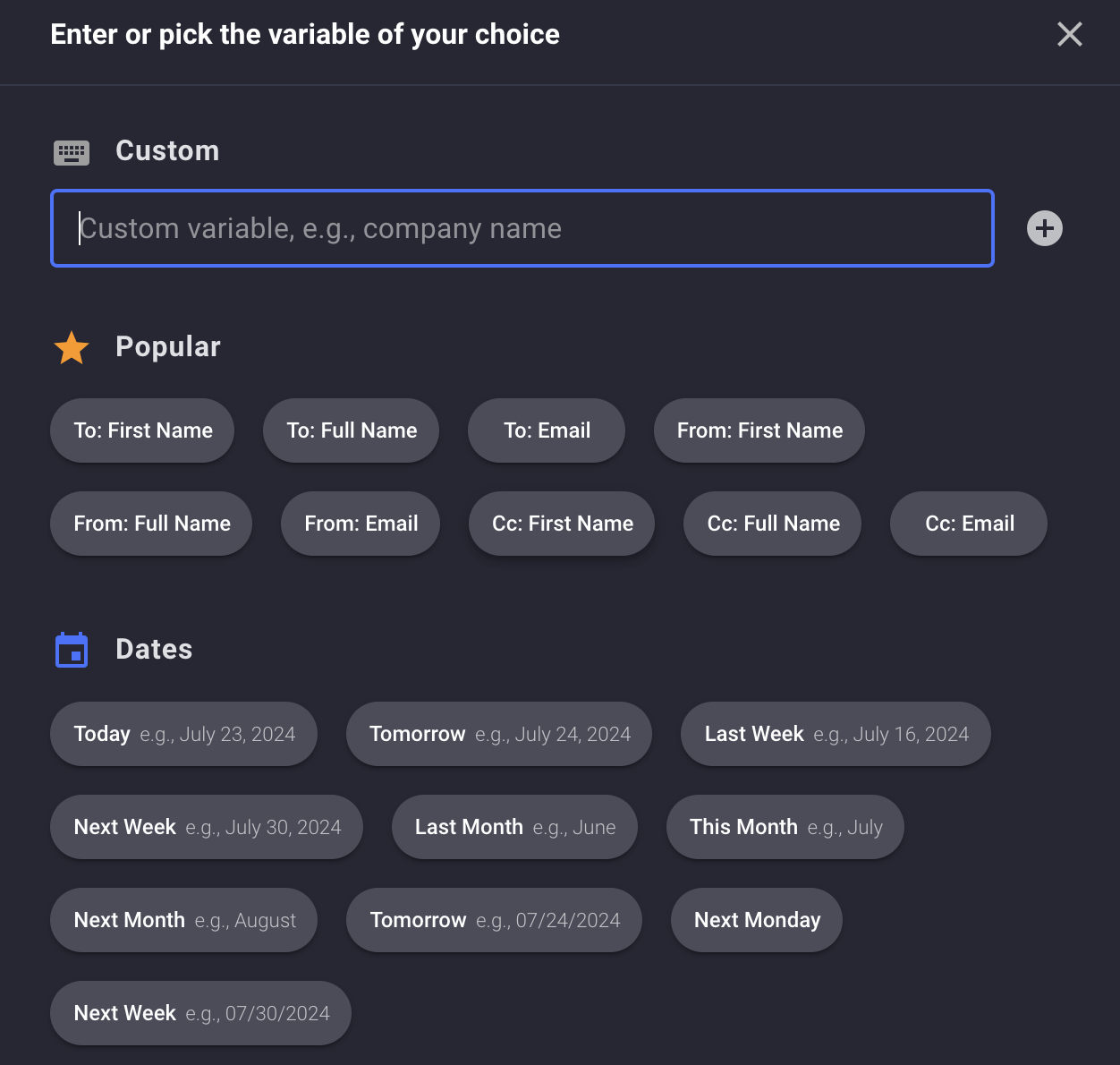
Gmelius templates come with a dozen of preset variables to chose from. You can see and access a list of variables from the templates page by clicking on the "Variables" button (see below) within the editor's toolbar.
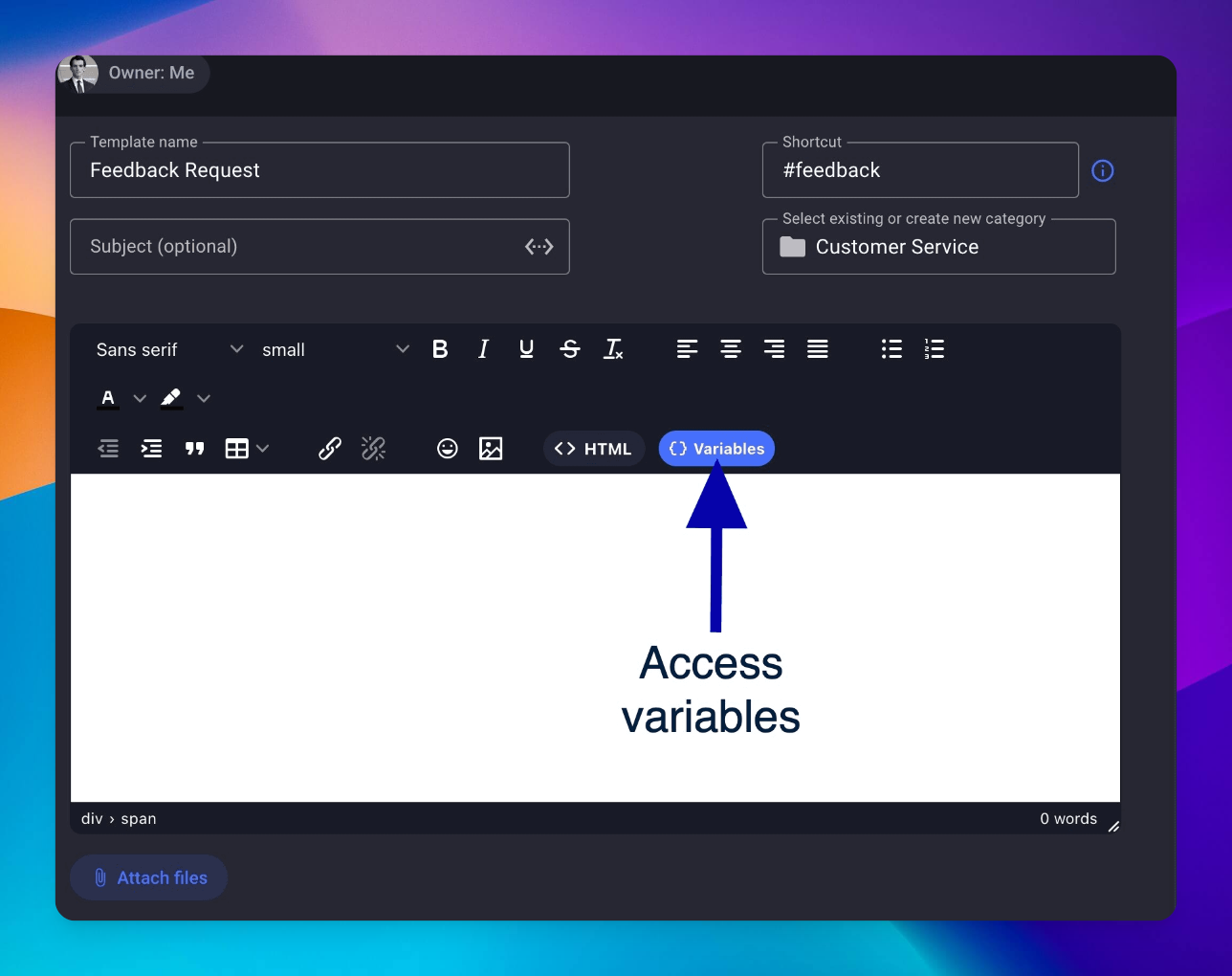
Variables will be added with this format: {{ your.variable }}.
Once a template is inserted into your compose, Gmelius will populate the corresponding data. If no data can be found, a modal will pop up and prompt you to enter a value for the variable.
Custom variables
You can add custom variables such as {{ company.name }}. Our software will display a modal for your custom variables, in order to populate manually the value.
How did we do?
How to add attachments to a template
How to manage your email templates
